
A New Scam Tactic Made Me Do a Double Take: “Walmart Order password88458”
When I thought my inbox scammers had settled into a comfortable routine of fake PayPal charges, Geek Squad subscriptions, and invitations to give away hundreds of dollars, somebody apparently decided the script needed an update.
This one actually made me do a double take.
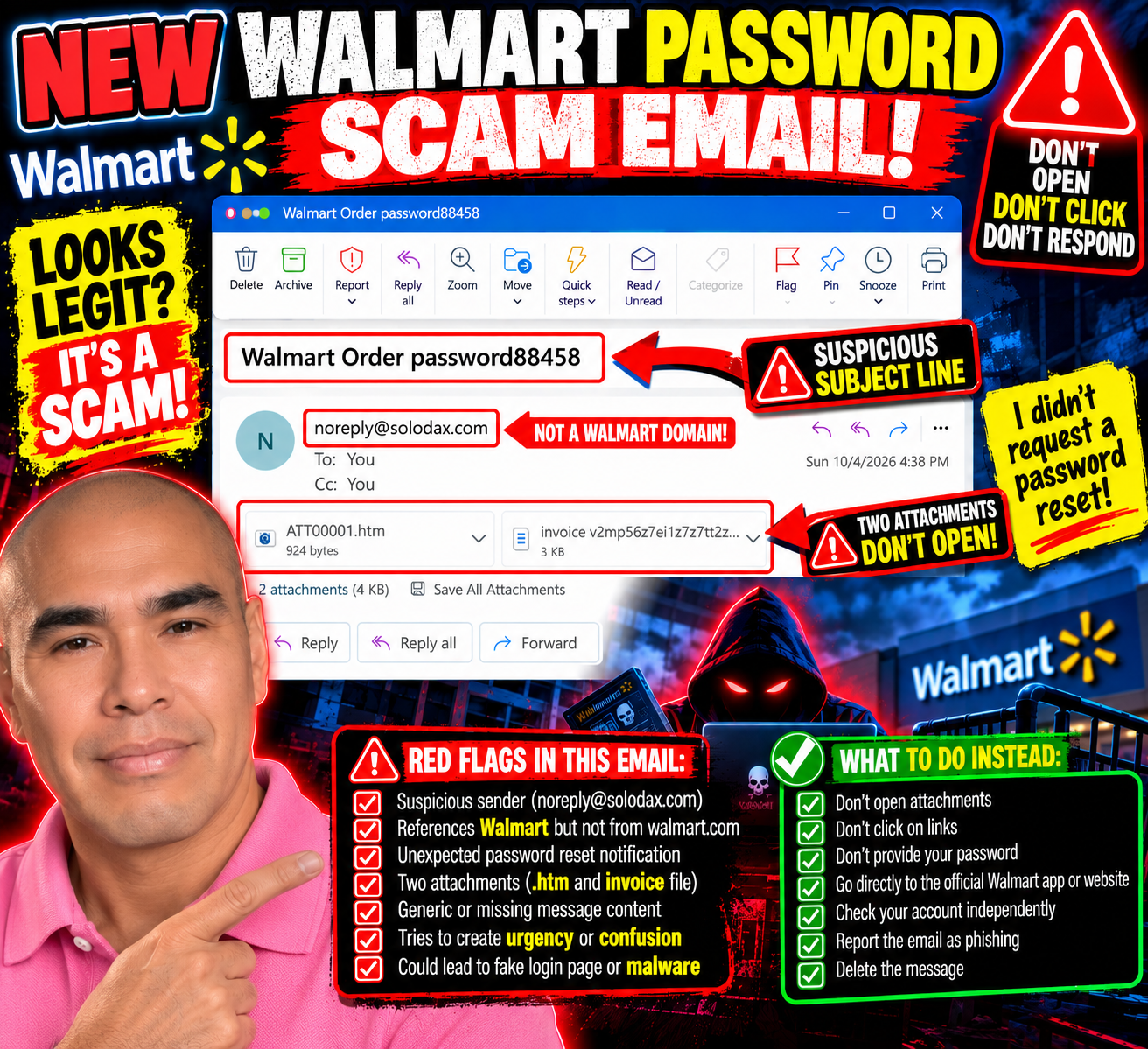
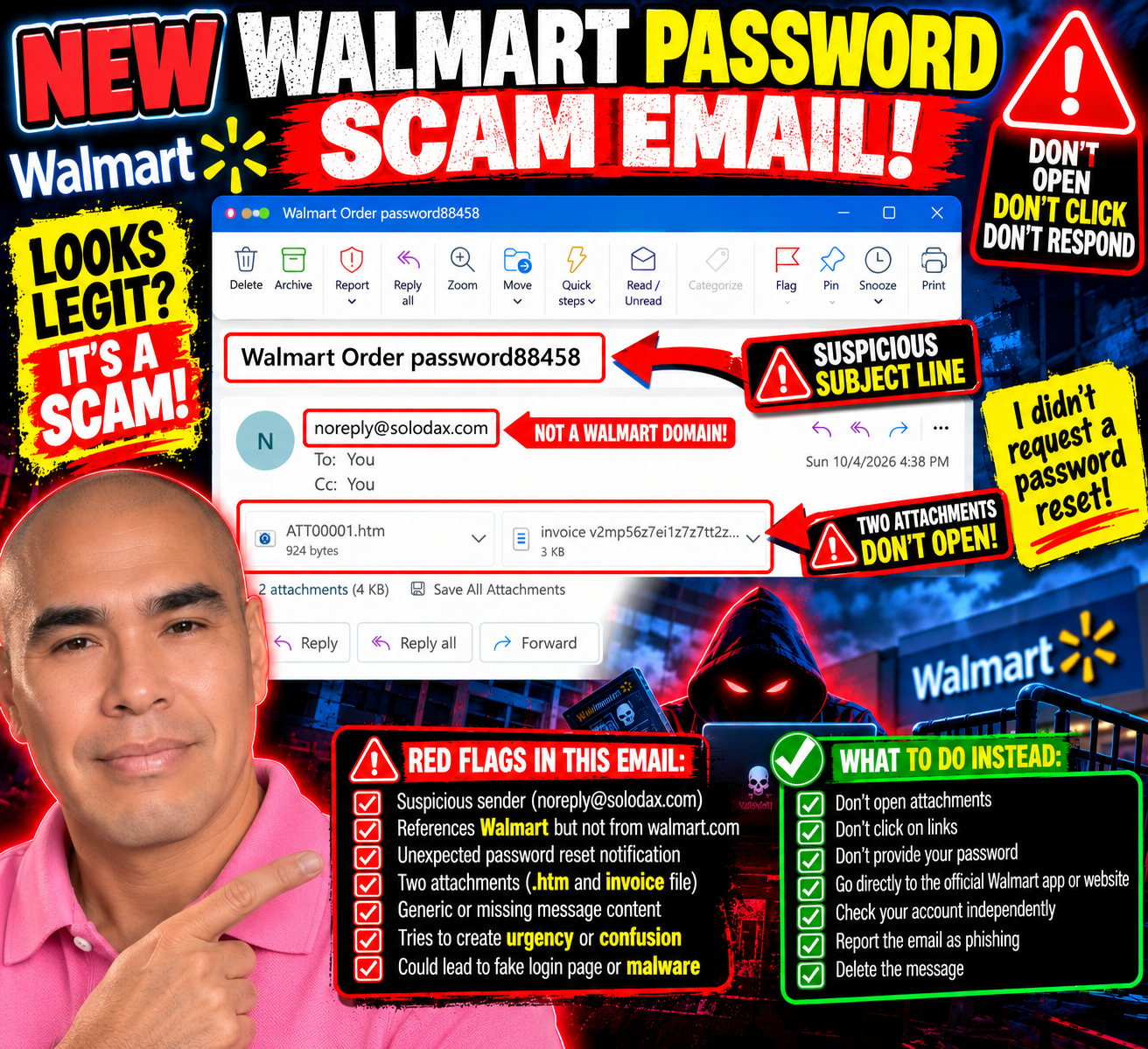
The subject line reads:
“Walmart Order password88458”
Password?
Wait.
Did I ask for my Walmart password to be reset?
No.
And that tiny moment of uncertainty is exactly what caught my attention.
This One Feels Different
Most of the scam emails I've been receiving practically announce themselves.
YOU SPENT $499.99!
YOUR GEEK SQUAD SUBSCRIPTION RENEWED!
CALL THIS NUMBER IMMEDIATELY!
They want panic.
This one is quieter.
The email body has no real message. Instead, it has two attachments: an HTML file and what looks like an invoice.
The sender shown is:
Yet the subject references Walmart.
That's enough for me to stop.
If this is supposedly about my Walmart account, why is the message coming from a completely unrelated domain?
And why would I need to open attachments to figure out what's happening with my password?
No thanks.
The “Password” Word Almost Worked
That's what I find interesting about this one.
I saw “password” and instinctively wondered whether I'd requested a password reset.
For a moment, the message made me question my own memory.
That's potentially much more effective than another ridiculous $499.99 invoice.
People reset passwords all the time. Sometimes we forget that we requested one. Sometimes an app logs us out. Sometimes we get legitimate security alerts when someone attempts to access an account.
So seeing Walmart + Order + Password mashed together in a subject line can create just enough confusion to make someone investigate.
And investigating might mean opening one of those attachments.
That's where I stop.
Two Attachments? I'm Good.
One attachment ends in .htm.
That's an HTML file—a webpage packaged as a file.
Opening an unexpected HTML attachment can potentially take someone into a fake login or other deceptive content designed to look legitimate. I'm not opening it to find out what this particular one does.
The second attachment appears to be an invoice.
I'm not opening that one either, thank you.
If Walmart needs me to take action on my account, I don't need an attachment from solodax.com to proceed.
I can independently open the Walmart app or type the legitimate Walmart website into my browser and check my account there.
The suspicious email doesn't give me a roadmap for how to investigate it.

This Is Why I Keep Sharing These
Scams don't always look like:
“HELLO DEAR SIR, YOU HAVE WON $47 MILLION.”
Sometimes they're messy.
Sometimes they're polished.
Sometimes they use familiar company names.
And sometimes all they need is one word—like password—to make me stop and wonder:
“Wait...did I do something?”
I did the double take.
Then I looked at the sender.
Then I looked at the attachments.
And I remembered:
I didn't request a password reset.
Mystery solved.
No attachments opened.
No links clicked.
No passwords entered.
And, for once, Bill apparently had the day off.
Send Me Your Scam Attempts
I'm still documenting the different tactics that land in my inbox because seeing real examples can make the next suspicious message easier to recognize.
If you've received an unusual scam email, phishing attempt, fake invoice, suspicious password-reset message, or another creative attempt to get your information, send me a screenshot and your experience:
First, remove or cover any sensitive personal, financial, or account information.
The scammers changed tactics.
So I'll keep paying attention.
If I didn't request a password reset, I won’t open an attachment to understand why someone believes I did.