
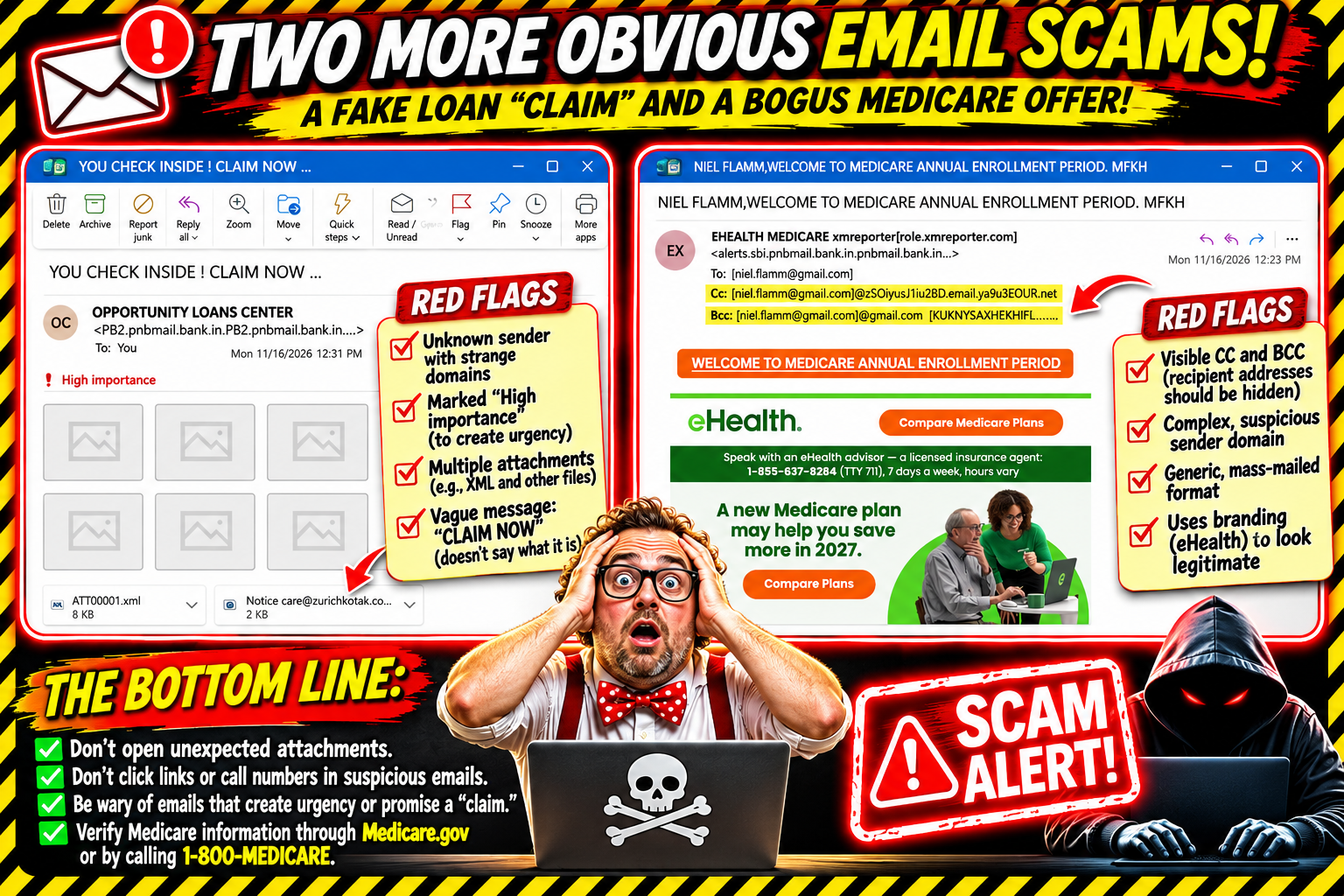
I received two more emails today that supposedly offer me something important. One involves an opportunity to claim something, and the other wants to help me with Medicare.
Apparently, the scammers are getting less subtle by the day. And these two examples are practically begging to be featured in my ongoing collection of questionable emails.
Let's take a look.
Email No. 1: "YOU CHECK INSIDE! CLAIM NOW ..."
The first email arrived with the subject line:
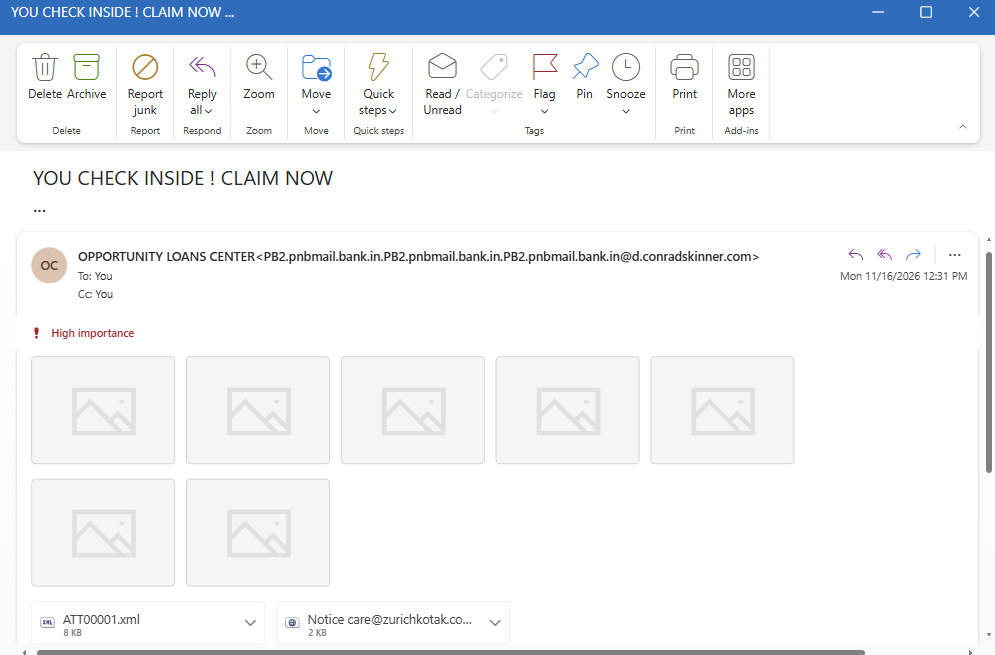
"YOU CHECK INSIDE! CLAIM NOW ..."
Well, that certainly sounds urgent. I'm not sure what I'm supposed to claim, but apparently I need to check inside.
The sender is listed as OPPORTUNITY LOANS CENTER, using an email address with a rather unusual collection of domain names attached to it. The message is marked High importance, because nothing says legitimate business communication quite like shouting at someone through an email.
And then there's the attachment situation.
The message includes a Word document attachment, along with other attachment-related items. It also has several image placeholders where content apparently should be. It's a crowded little package of things I have absolutely no intention of opening.
What exactly am I claiming? A loan? A prize? A mystery box of malware?
The email doesn't make that particularly clear. But it does seem very interested in getting me to open something.
That's a hard pass.
Email No. 2: Medicare Enrollment and a Very Public BCC
The second email is even more entertaining.
The subject reads:
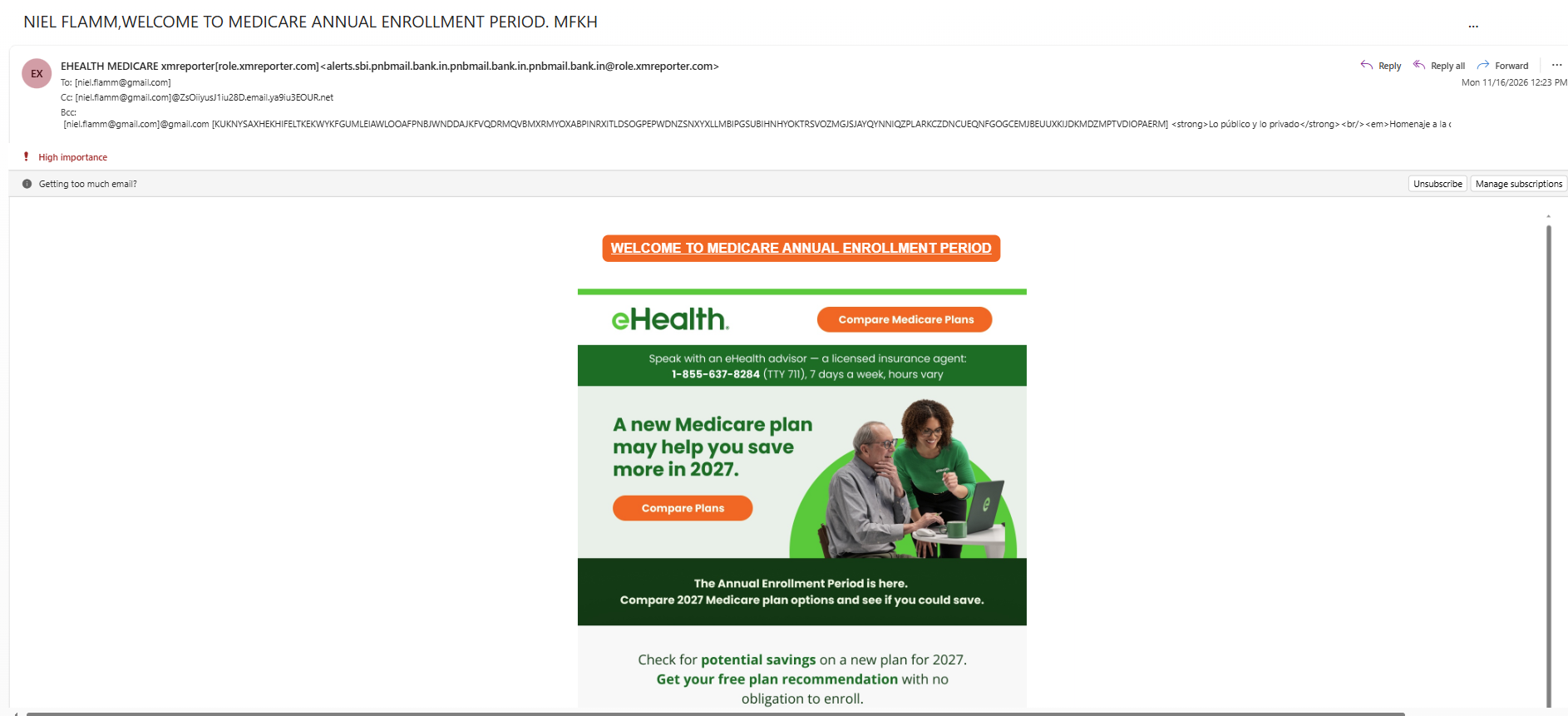
"NIEL FLAMM, WELCOME TO MEDICARE ANNUAL ENROLLMENT PERIOD. MFKH"
The message displays eHealth branding and promotes comparing Medicare plans for 2027. It includes a phone number and buttons encouraging me to compare plans.
Now, here's where things get especially interesting.
I looked at the message headers.
The sender information contains a long, complicated-looking collection of domains that doesn't inspire confidence. The email also shows addresses in the CC and BCC fields.
Yes, the BCC field.
For anyone unfamiliar with email, BCC stands for blind carbon copy. It's designed to keep recipient addresses hidden from other recipients. In this message, the BCC information is exposed right there in the email header, along with a bizarre string of text and additional email-address information.
That's not what I expect to see in a professionally prepared corporate email.
A legitimate organization sending customer communications should have a properly configured sender address and handle recipient information appropriately. A visible, garbled BCC field like this is a giant warning sign.
And the branding doesn't fix the problem. Just because an email displays a recognizable company's logo doesn't mean that company sent it.
A Few Things These Two Emails Have in Common
Let's review the warning signs:
Unusual sender addresses: The displayed sender information doesn't look like a straightforward corporate communication.
Suspicious attachments: The first email wants me to open a collection of files without giving me a convincing reason.
Urgency and pressure: "CLAIM NOW" and "High importance" are designed to get attention.
Exposed recipient information: The second email has visible CC and BCC information that should raise questions.
Brand impersonation concerns: A logo or familiar company name can be copied. It doesn't establish that the message is authentic.
Scammers, Can You At Least Try?
I keep coming back to the same question: How do these people expect to get away with this?
I'm not suggesting anyone should become better at committing fraud. Quite the opposite. I'm pointing out how careless and poorly constructed these messages are.
Professional organizations don't normally send messages with bizarre sender domains, random attachment collections, and exposed BCC information. These are not little formatting quirks. They're reasons to stop and question the message.
The goal of these emails is to get someone to click, open an attachment, call a number, or provide personal information. Don't make it easy.
My advice: Don't open unexpected attachments. Don't click suspicious links. Don't call numbers included in questionable emails. If a message claims to be from a company you do business with, go directly to that company's official website or app and check there.
And if you receive something similar, report it as phishing or junk.
I'm sure there will be another one along shortly. The scammers seem to have an unlimited supply of questionable ideas.
If you receive a suspicious email and want to share it, send me the details or a screenshot at niel@nielflamm.com. Please remove any personal or sensitive information first.
Until next time, keep your eyes open, your mouse away from suspicious links, and your attachments closed.
