
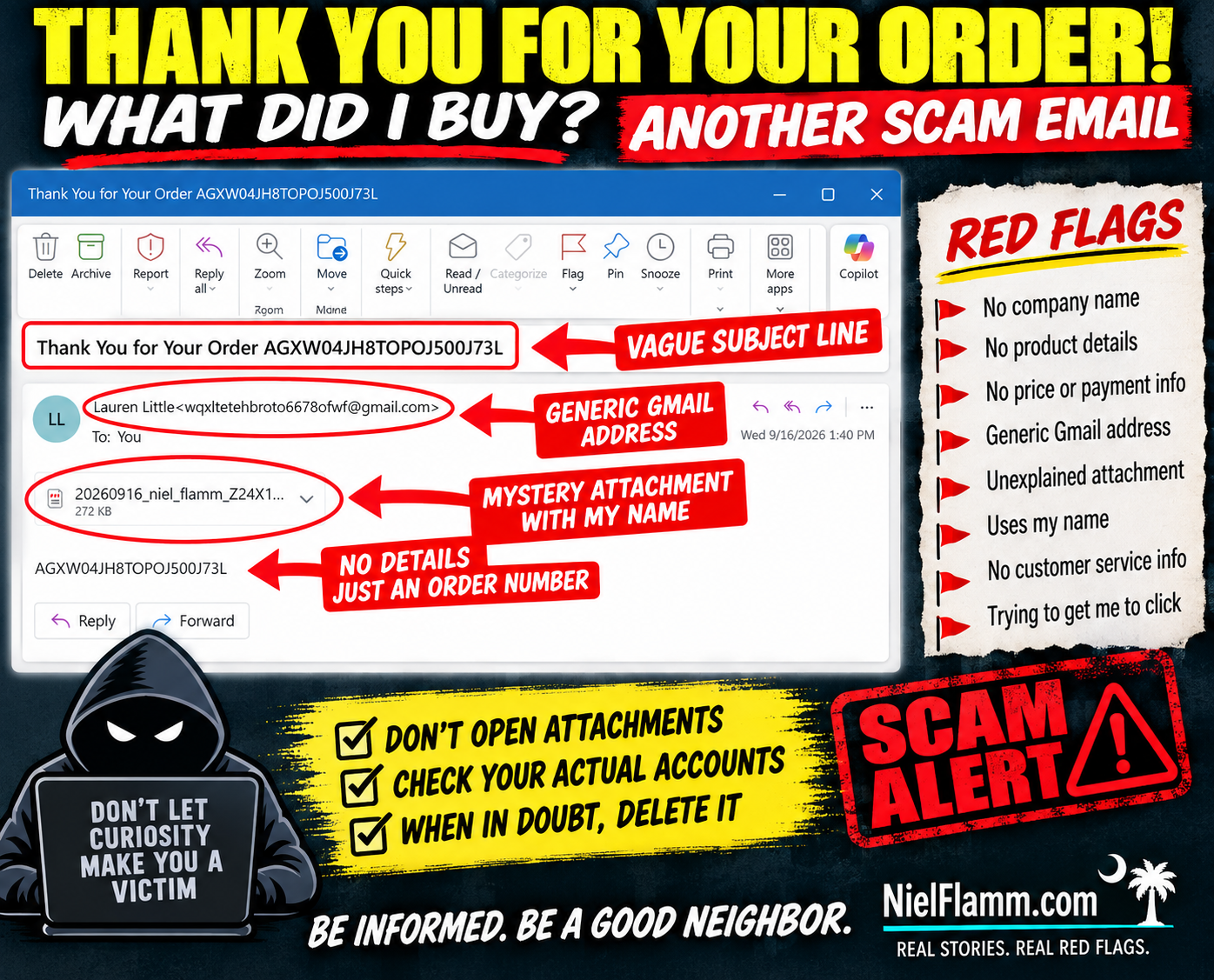
Oh, this one barely even tries. 😂
Another suspicious email landed in my inbox with the subject:
“Thank You for Your Order AGXW04JH8TOPOJ500J73L”
Well, thank you!
There's just one small problem.
WHAT DID I ORDER?
The email doesn't tell me.
No company name.
No product.
No price.
No payment method.
No shipping information.
No customer-service information.
Nothing.
The sender is Lauren Little, using a Gmail address that doesn't identify any recognizable merchant.
But don't worry—they did give me an order number.
And, more importantly, a 272 KB mystery attachment.
How thoughtful.
🚩 The Attachment IS the Email
The actual body contains essentially nothing except the same mysterious order number.
So if I want to know what I supposedly purchased, there's an obvious temptation:
Open the attachment.
And that's exactly what I'm not going to do.
I don't know what's inside that file, because I didn't open it. I'm not going to claim it's malware, a malicious document or anything else I haven't verified.
I also don't need to find out.
An unexpected email from an unknown sender telling me about an unidentified purchase and giving me an unexplained attachment has already failed my trust test.
🚩 Apparently Scammers Have Discovered Personalization
Here's another nice touch.
The attachment's filename includes:
“niel_flamm”
Ahhh.
They know my name!
That changes everything.
Actually, no.
Putting my name in the attachment doesn't make me more likely to open it. It makes me more likely to delete it.
Personalization isn't proof of legitimacy.
Names, email addresses, and other basic information can come from countless places online.
🧠 Curiosity Is the Hook
That's what makes these minimalist emails interesting.
They don't need an elaborate story.
They want me to create the story:
Did I accidentally buy something?
Did someone use my credit card?
How much did they charge me?
What company is this?
What's in that attachment?
And there's the trap.
Instead of giving me information, the email creates an information gap and gives me a file that supposedly fills it.
No thanks.
If I'm concerned about an unauthorized purchase, I'll check my bank and credit-card accounts myself.
I don't need to open a mystery attachment to discover whether I've spent money.
🏡 Don't Be Passive. Be a Good Neighbor.
If you receive something like this and recognize the warning signs, share them.
Someone else may see “Thank You for Your Order” and immediately panic.
Before they open the attachment, tell them:
Check your actual financial accounts first.
Sometimes being a good neighbor means preventing someone from making that one curious click.
Because sometimes the safest attachment is the one you never open.
Follow along at NielFlamm.com/blog for more suspicious emails, questionable vehicle offers, recruiting scams and whatever strange thing lands in my inbox next.
